Working in threads
Files & documents projects
Projects that are folders of PDFs, spreadsheets and notes: the folder manager, text versions, @folder references.
Not every project is code. A Files & documents project is a folder of PDFs, spreadsheets and notes — a tax year, a thesis, a client onboarding — with a place inside the app to arrange it and agents you can point at any part of it.
Creating one
Add project › Files & documents
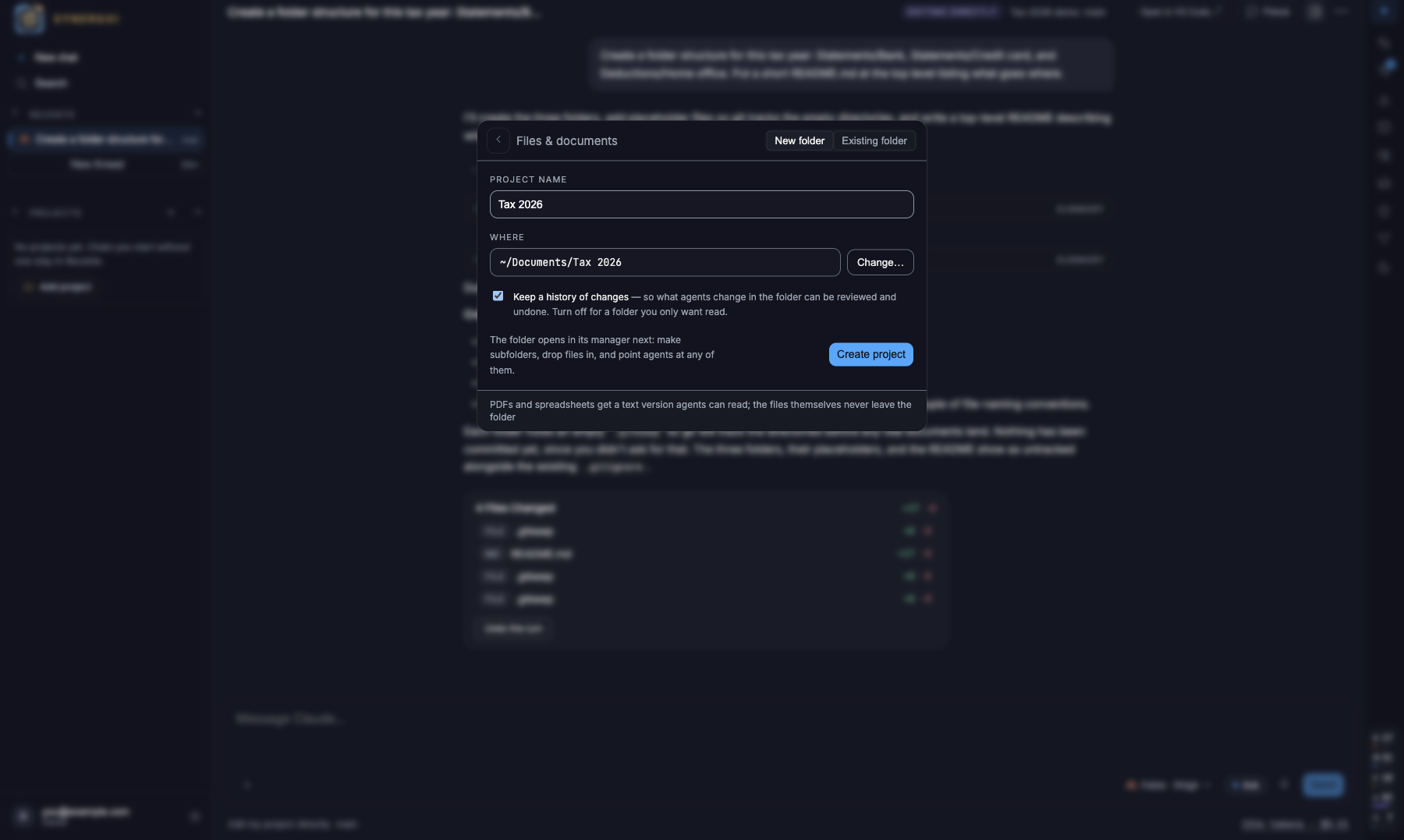
New folder names a folder and makes it (in ~/Documents by default); Existing folder adopts one where it is. Nothing is copied or moved.Keep a history of changes
On by default: a git repository you never have to look at, so what agents change in the folder can be reviewed and undone. Turn it off for a folder you only want read — agents then cannot edit it.The folder opens in its manager
Make subfolders, drop files in, and start a thread from the project's +.
The folder manager
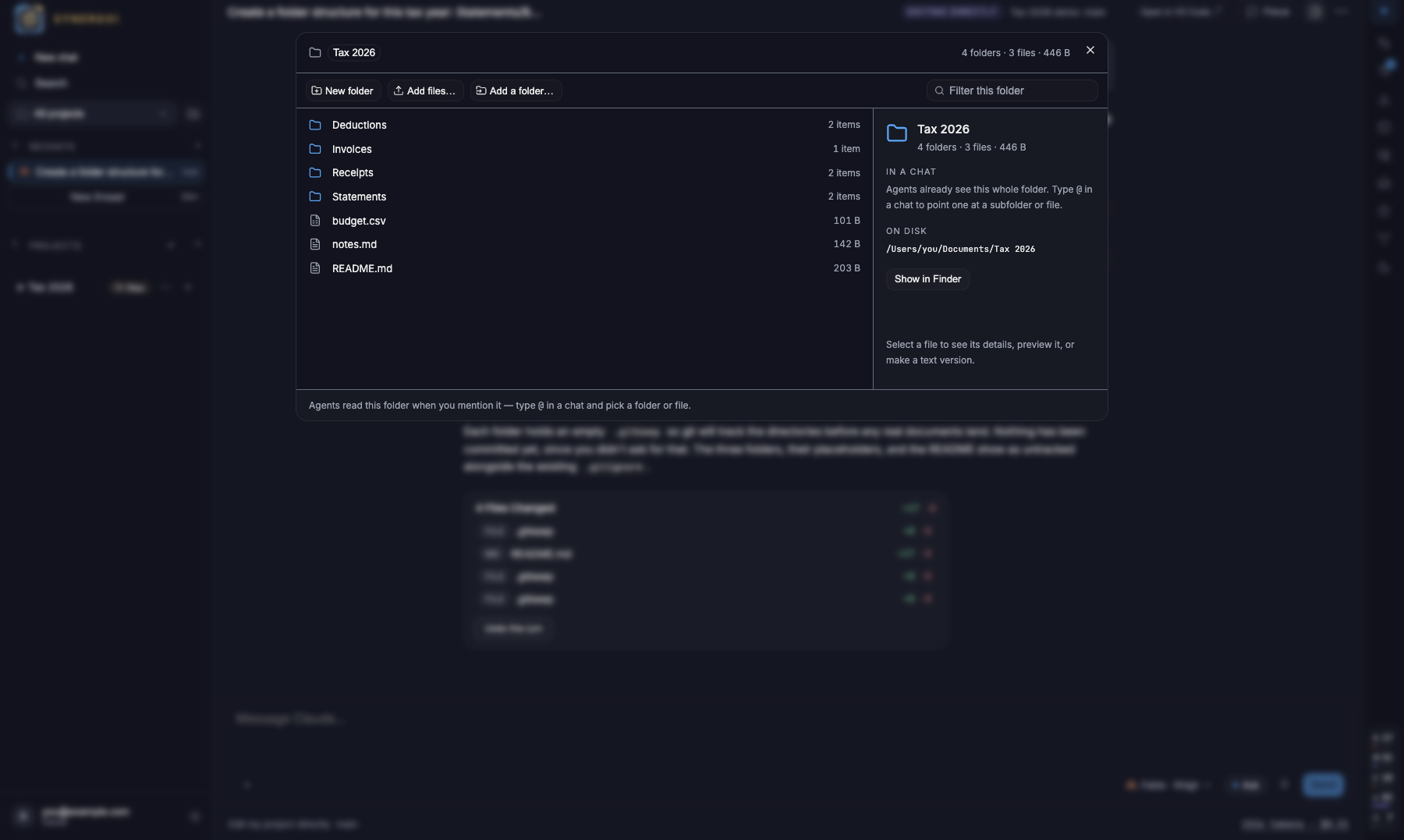
Every project has one — open it from the rail's files chip, the project's … menu, or Project settings. Browse, make folders, rename, move (drag or Move to…), delete with confirmation, add files through the picker or by dropping them in, preview images, PDFs, Markdown, CSV and spreadsheets, and reveal anything in Finder. Every change lands on disk in that folder; nothing is staged anywhere else. Housekeeping files such as .gitignore are never shown.
Text versions
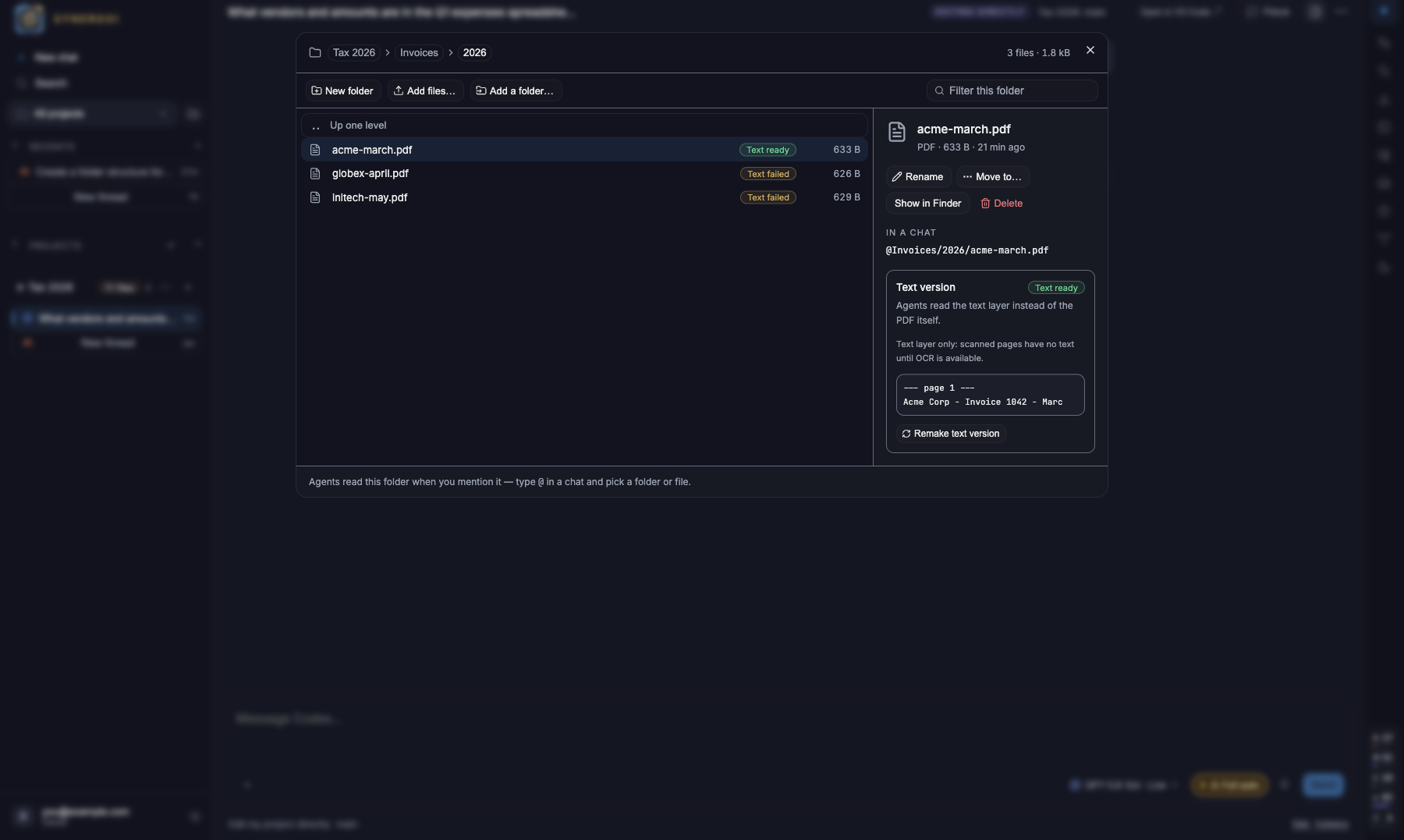
Agents cannot read a PDF or a workbook directly, so Synergoi makes a text version of each one in the background: one .txt per PDF with page markers, one .csv per sheet. They live under .synergoi/text/ inside the folder, at the same relative paths, and the manager shows Text ready, making or unavailable on every row. Formulas, charts and formatting are not carried over; a scanned PDF has no text until OCR lands.
Pointing an agent at part of it
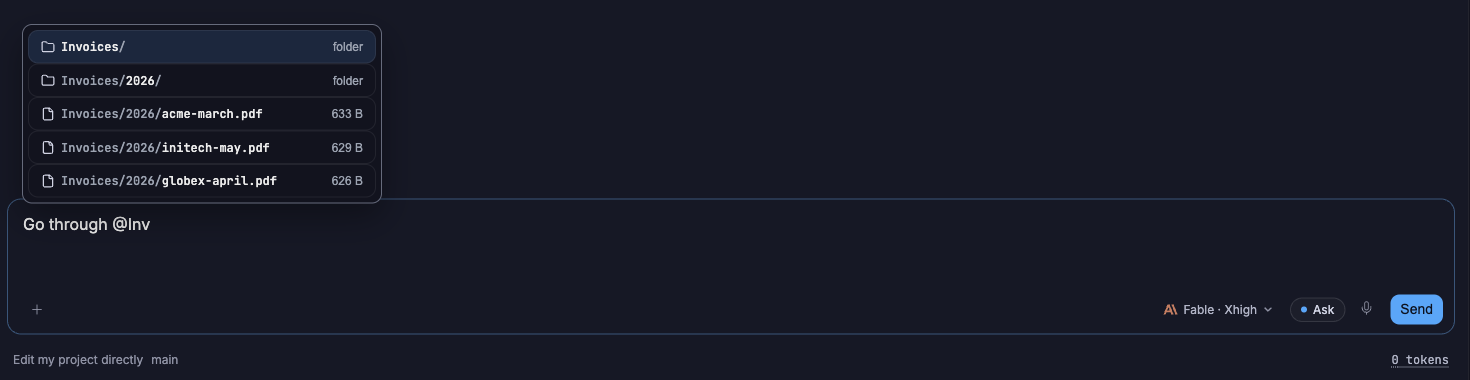
Type @ in the composer: in a documents project the Folders & files group comes first, with Ask a model below it (one row per agent; accounts and models appear as you type toward them). Pick a folder or file and the send carries it: the agent gets the absolute path, its size, and where the text versions are. Agents in a documents project are also told about the text folder on every turn, so a plain "go through the invoices" works without a mention.
How edits work
A documents project always runs its threads as Edit my project directly: the agent works in the folder itself, with a checkpoint saved before every turn so Undo this turn works. With history off the project is read-only for agents. Code projects still default to a branch per thread.
Something wrong or missing on this page? Email [email protected].