Start here
Getting started
Install on Mac, activate, connect a login and run your first thread.
Synergoi is a desktop app that drives the coding agents you already pay for — Claude Code, Codex, Grok, Cursor Agent, Antigravity and local models — from one window, with quotas, approvals and shipping handled once. Setup takes about two minutes and asks for nothing you don't already have.
Requirements
- macOS on Apple Silicon (M1 or later; Intel Macs are not supported) or Windows 10/11 on x64 (Windows on ARM is not supported yet).
- At least one provider login. A Claude Pro/Max, ChatGPT Plus/Pro, SuperGrok, Cursor or Google account — or a local model runtime such as Ollama. See Providers.
- git on your PATH — Xcode Command Line Tools on a Mac, Git for Windows on a PC. Synergoi's worktree model is built on it. Everything else the app needs to run is in the download: you do not install Bun, Node, or build tools.
1. Install
Mac · v0.0.22 · Apple Silicon · signed & notarized · ~237 MB
Windows · v0.0.22 · x64 · unsigned installer · ~239 MB
Mac: open the DMG, drag Synergoi to Applications, and launch it. The app is signed and notarized by Apple, so Gatekeeper opens it without warnings.
Windows: run the installer. It installs into your own user account and needs no administrator rights. The installer is not code-signed yet, so SmartScreen will say "Windows protected your PC" the first time — choose More info, then Run anyway. We are working on the certificate.
On first launch the app installs its own copies of the Claude and Codex adapters into its data folder — nothing is written into your projects.
Updates are automatic: the app checks updates.tracewyn.com on launch and installs the next version in the background. You can also check from Settings › General › Check for updates.
2. First run: Activate → Connect → Start
The first-run flow has three screens and appears only once.
Activate
Paste the license key from your Lemon Squeezy receipt email, or start a 7-day free trial from the same screen. Details in License & billing.
Connect
Synergoi scans for the official CLIs and adopts logins you already have. If
claude,codex,grok,cursor-agentoragyis installed and signed in, the provider shows as connected without you doing anything. Missing one? The screen shows the install command and the vendor's own login flow — Synergoi never sees your password.Start
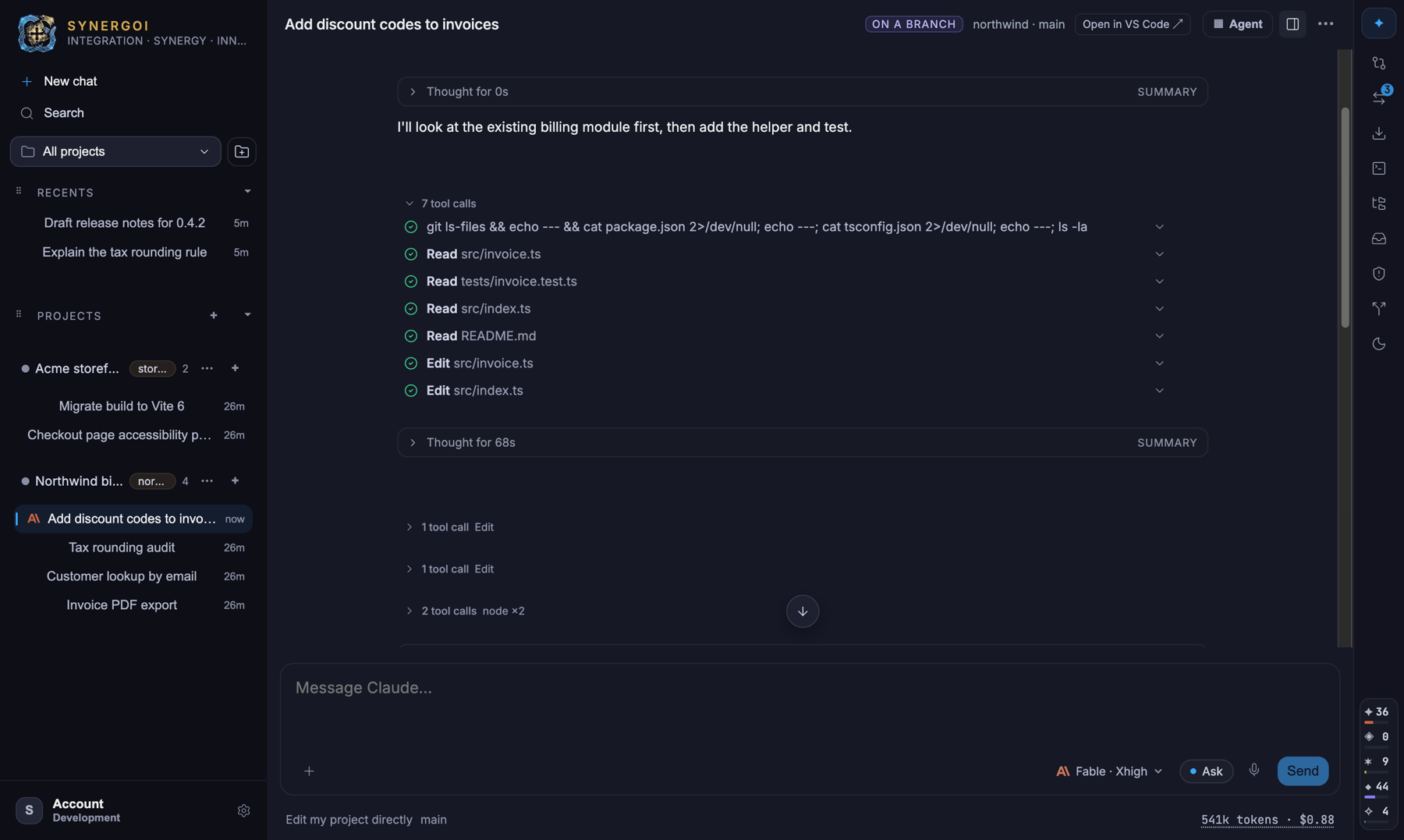
Pick a folder. A folder is a project; Synergoi registers the git repository it finds there. Your first thread opens on a fresh branch in its own worktree.
3. Your first thread
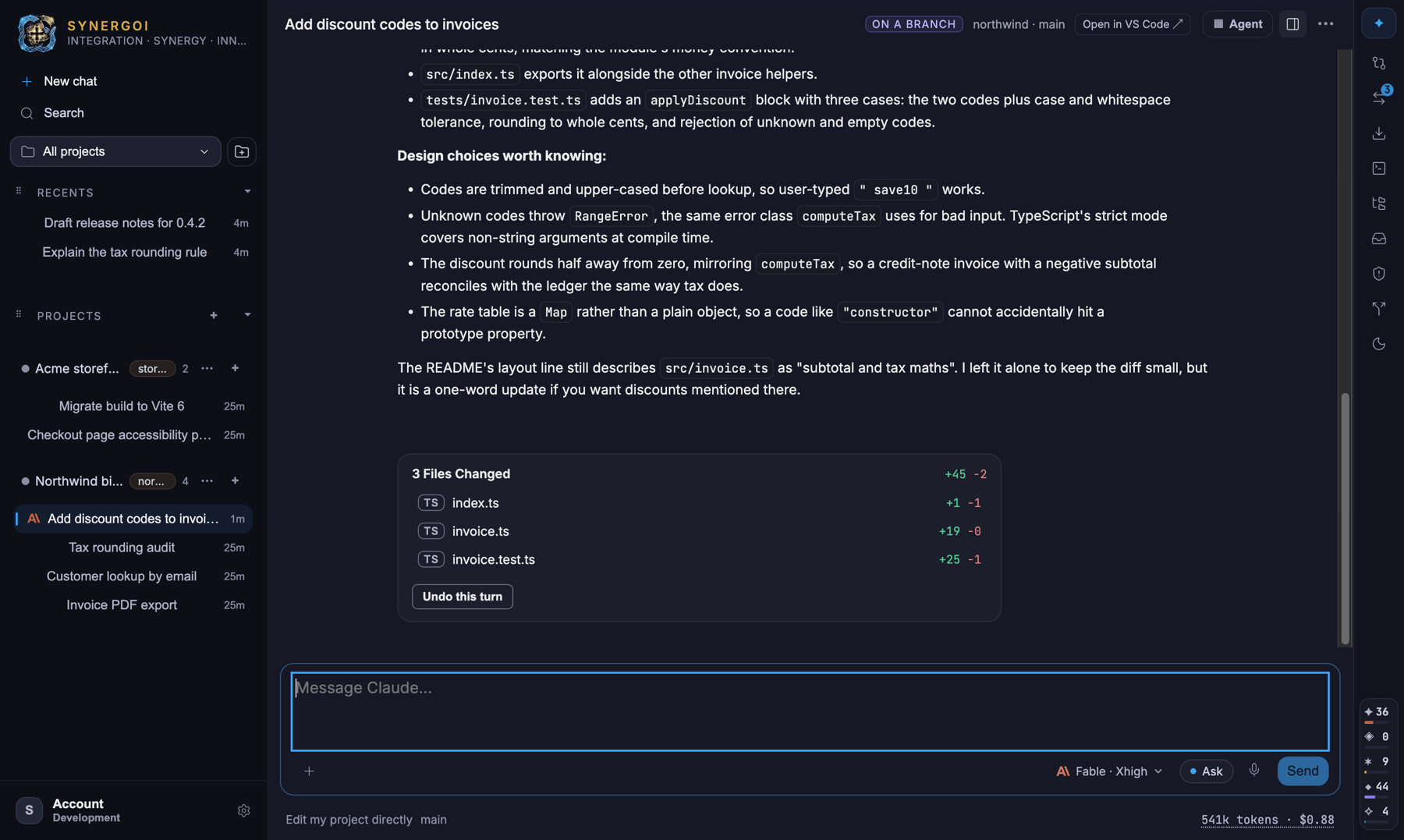
Type in the composer and press Enter. Shortcuts below are written with the Mac modifier; on Windows read ⌘ as Ctrl. The provider pill on the left of the composer chooses the model for this turn; the access pill next to it (Ask by default) chooses what the agent may do without asking. Everything the agent reads, edits or runs appears in the transcript as it happens.
- While a turn is running, Enter queues your next message; ⌘Enter interrupts and sends now. ⌘. stops the turn.
- Approvals arrive in the transcript, in the inbox (⇧⌘A) and as a system notification, so you can leave the window. Per-chat alert preferences live behind the bell in a chat's header — keep approvals, silence turn finishes, or go quiet altogether.
- When the turn ends, a Files changed card lists what was touched with the line counts and anUndo this turn button. Open the Changes dock to review, stage and ship — see Changes & Ship.
Where next
- Quotas, caps & failover — read your meters and set a fallback before a wall hits.
- Models, mentions & side-asks — mix models inside one thread.
- Access presets & approvals — decide once what agents may do unattended.
- Keyboard shortcuts — the whole app in eight chords.
Something wrong or missing on this page? Email [email protected].