Review, ship, land
Changes & Ship
Review a turn's diff, stage by hunk, commit, push and open a pull request.
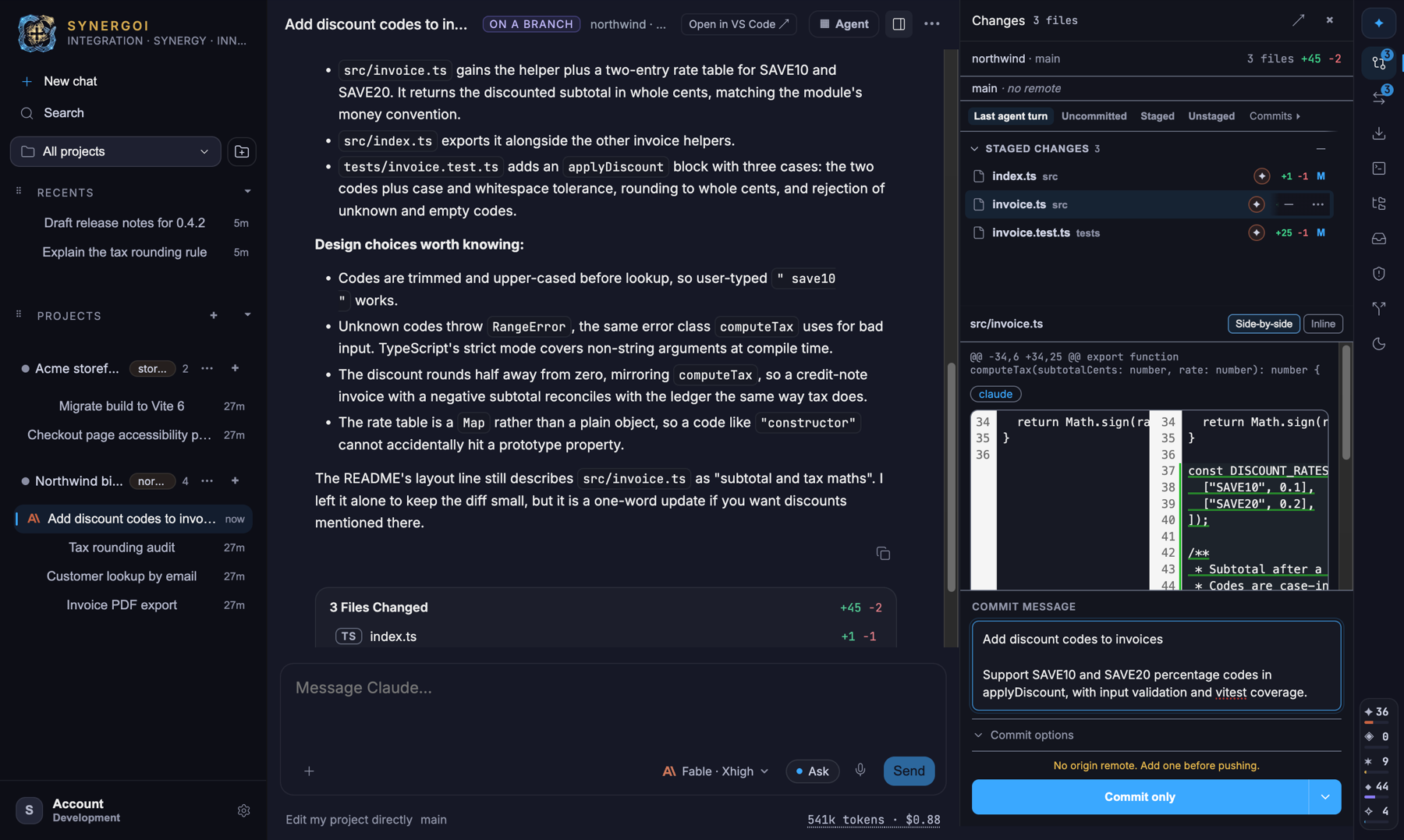
Agents produce diffs; you produce commits. The Changes dock is where the two meet — a real diff viewer bound to the thread's worktree, with staging by hunk, a commit box, and one button to push and open a pull request.
The Changes dock
Open it from the right rail, from the Files changed card at the end of a turn, or with ⇧⌘S. It docks beside the transcript so you can read the agent's reasoning and its diff at once, or pop it out to a full page.
- Scopes: Last agent turn, Uncommitted, Staged, Unstaged and Commits. "Last agent turn" is the one you'll live in — exactly what the most recent turn changed.
- Side-by-side or inline diffs with syntax highlighting, rendered in a worker so large diffs stay smooth.
- Stage by file or by hunk, discard a hunk you don't want, and watch the counts update.
Commit, push, pull request
Write or accept the message
The commit box is pre-filled from the thread; edit it as you like. Commit options add a conventional-commit prefix, open the pull request as a draft, choose the PR base branch, or auto-push future commits.
Choose what happens next
The main button is Commit & Push; its menu offers commit only, push only, or commit, push and open a pull request on your forge. The remote bar above shows ahead/behind against the upstream and whether the branch has been published yet.
Read the outcome
Before pushing, Synergoi runs a preflight (remote reachable, credentials present, branch not diverged) and explains a failure in plain words — an expired token, a protected branch, a rejected non-fast-forward — instead of dumping git's stderr.
Reviewing a pull request
You can also go the other way: open a pull request into a thread. Synergoi checks the request's source branch out into a worktree, shows its diff against the base in the Changes dock, and lets any model review or fix it. See GitHub, GitLab & Azure DevOps.
Something wrong or missing on this page? Email [email protected].